Can You Withdraw Cash Without a Card in South Korea? A Guide for Foreigners
If you’re in Korea with money in an overseas bank account but no physical debit card, the “cardless” button on a Korean ATM probably isn’t the workaround you’re hoping for.
Korean ATMs do have no-card withdrawal features, but they’re mainly tied to Korean bank accounts and services that were set up in advance.
If you still have a physical foreign debit card, skip the Korean “no card” menus and look for Global ATM / International Card / Foreign Card or the network logo on your card. If you have no physical card at all, jumping from ATM to ATM usually won’t solve the problem — go straight to the backup options below.
Table of Contents
Can tourists use cardless ATMs in Korea?
| What you have | What I’d expect in Korea |
|---|---|
| Foreign bank account + phone only | Don’t count on getting cash |
| Apple Pay, Google Wallet or another phone wallet | Useful for some payments, but not a replacement for an ATM card |
| Korean bank account + bank app | Cardless withdrawal may be available after setup |
| Physical overseas debit card | Your most reliable ATM option |
The confusing part is the Korean wording. On an ATM screen, 무통장/무카드 literally looks like the option you need when you don’t have a card. It often sits right next to the normal withdrawal menus, which makes it even more convincing. But for a traveler with an overseas bank account, that button is usually a dead end. It is a Korean banking feature, not the Korean version of “tap your phone and withdraw cash.”
Why Korean ATMs can say “cardless” even when you cannot use it
You may see Korean ATM menu items such as:
- 무통장/무카드 = without bankbook / without card
- 무매체 = no physical banking medium
- 스마트출금 = smart withdrawal
- 모바일 출금 = mobile withdrawal
These are normal Korean banking terms, which is exactly why they can be misleading to visitors. They are generally aimed at people already using a Korean bank account and its banking services.
Hana Bank, for example, requires customers to register for its cardless withdrawal service and use an eligible account in their own name.
So if you’re standing at an ATM with only your overseas bank account and your phone, 무통장/무카드 is not the shortcut it appears to be.
Oomphy tip
If the screen is full of Korean-only options, don’t waste time tapping through the cardless menus. Look for Foreign Card, International Card, Global ATM, English, or your card network logo first.
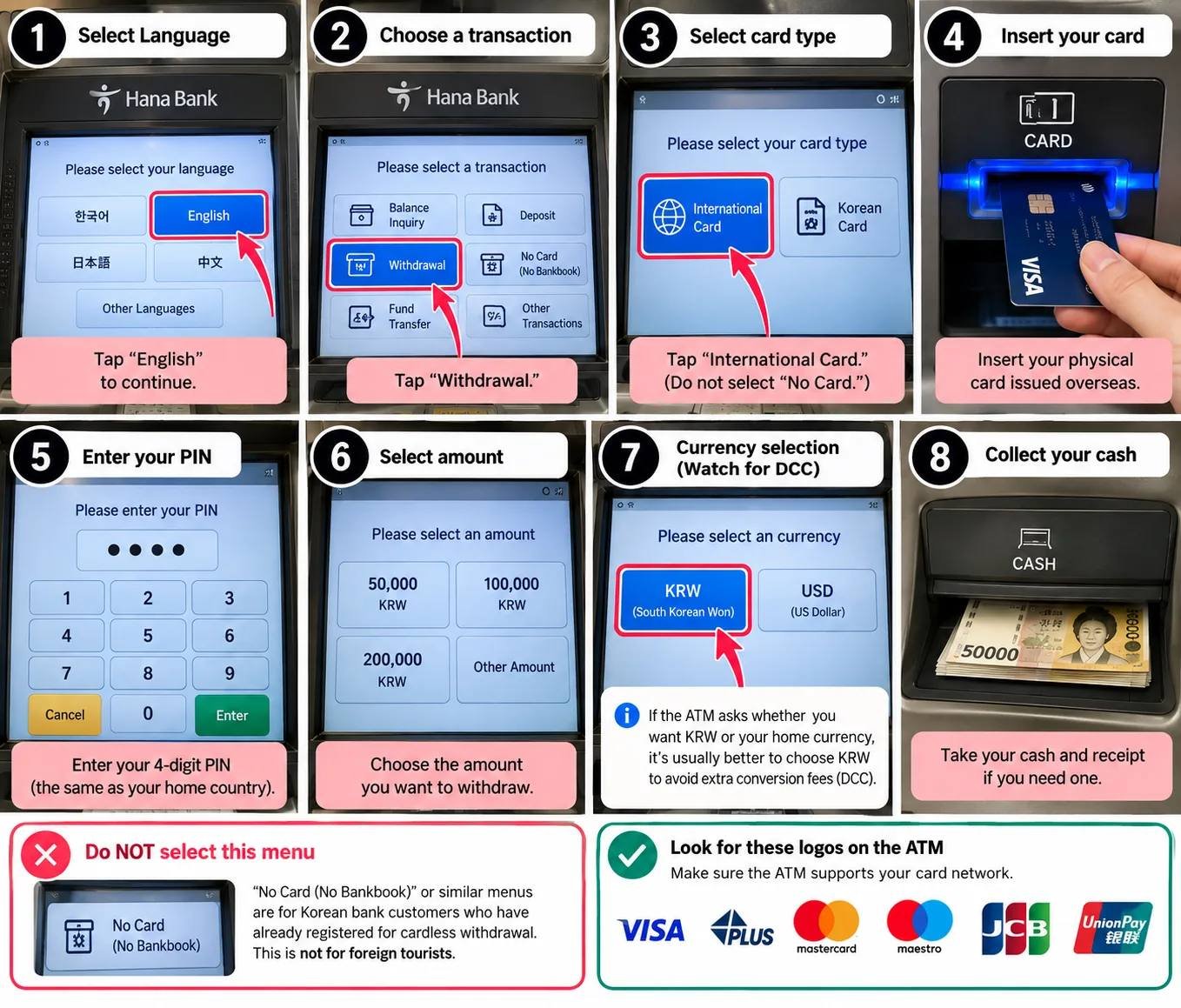
If you have a physical foreign debit card
Look for an ATM that supports international cards and check for the payment network shown on your card, such as Visa/PLUS, Mastercard/Cirrus or another supported network.
Hana Bank, for example, confirms Mastercard, Maestro, Cirrus, Visa, PLUS, JCB and UnionPay for balance inquiries at its Global ATMs; withdrawal support isn’t separately spelled out on Hana’s page but typically follows the same networks. Availability can still depend on the issuing country and card.
With a foreign debit card, don’t start by translating every Korean button on the screen. First look for Global ATM, International Card, Foreign Card, an English-language option, or the network logo printed on your card.
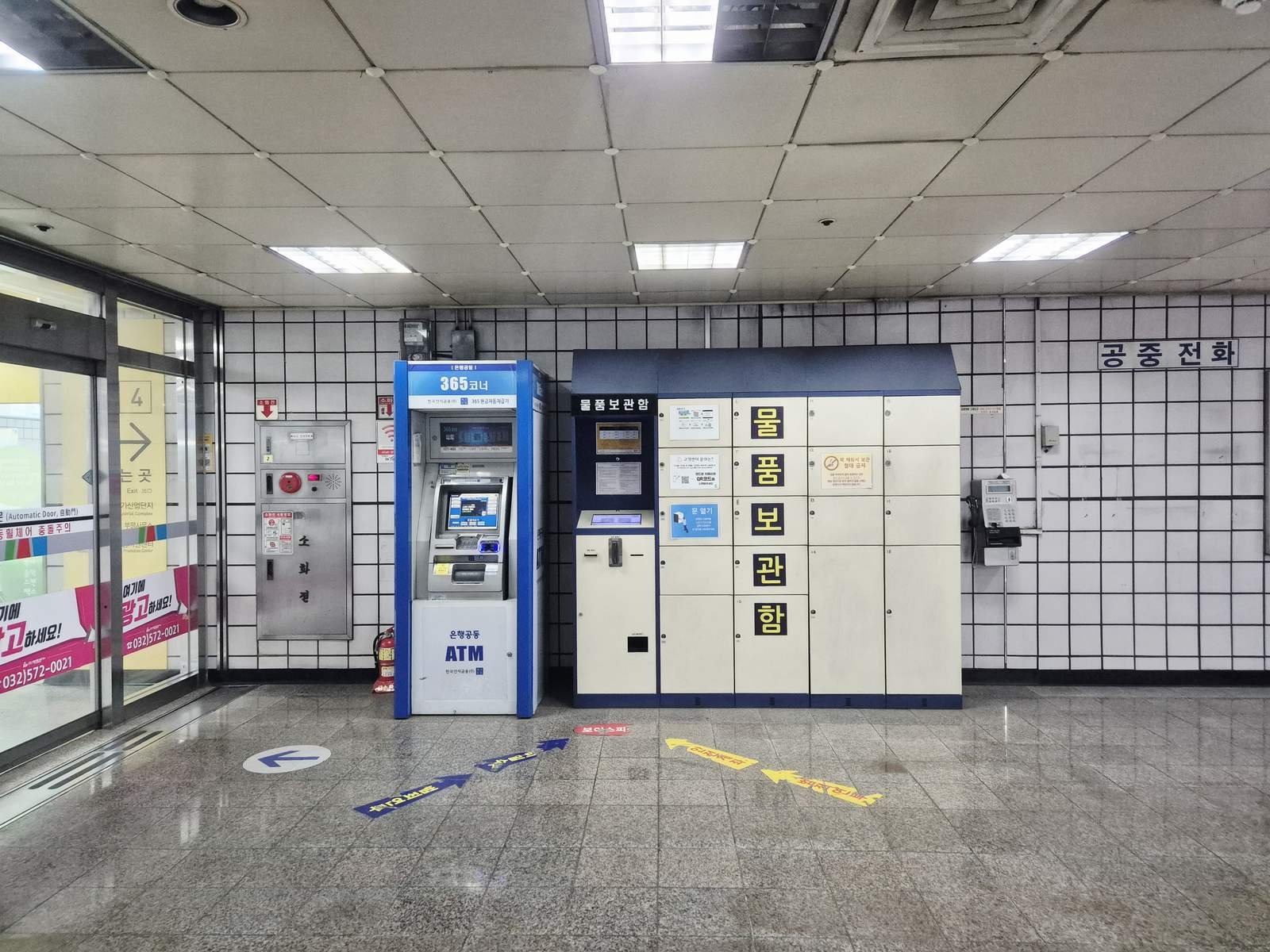
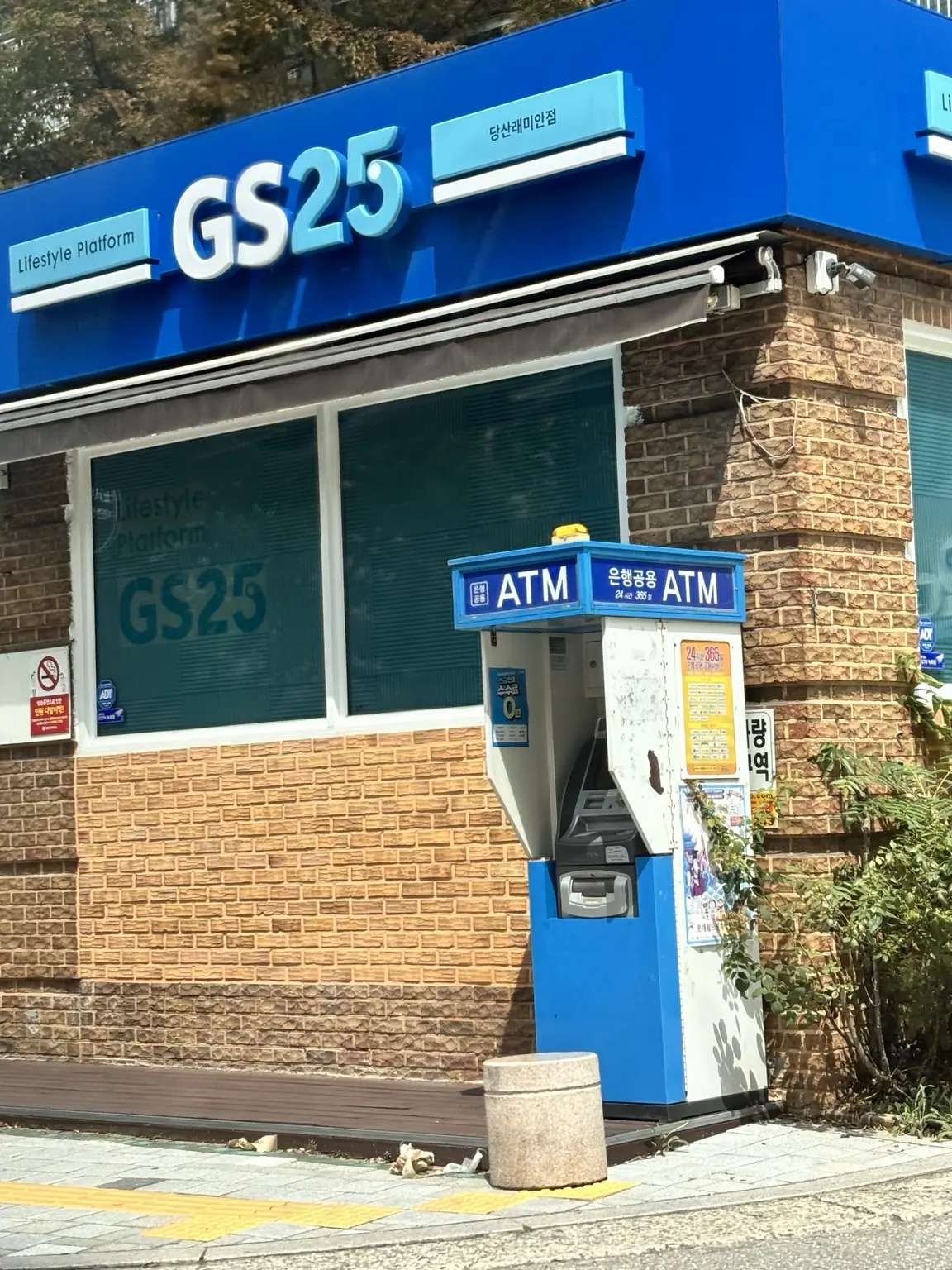
And one failed machine does not automatically mean your card is the problem. In Korea, ATMs sitting only a few minutes apart can support different overseas cards. If a machine in a subway station or convenience-store area rejects you, try a bank-operated Global ATM before calling your card dead. If that one also fails, then check with the issuing bank.
If you’re weighing cash vs. card more broadly for your trip — transit reloads, markets, tipping, DCC on card payments — see our full Cash vs. Card in South Korea guide.
If the ATM asks: KRW or your home currency?
Don’t tap your home currency just because it looks familiar. That option can be Dynamic Currency Conversion (DCC), where the ATM does the conversion for you and may include a markup or extra fee.
I normally choose KRW (Korean won) and let my own bank or card network handle the conversion, but check your card’s own foreign-exchange fees too. Also watch for two separate costs: the Korean ATM’s fee and whatever your own bank charges.
Can I tap my phone instead of inserting a card?
I wouldn’t count on it.
Seeing contactless symbols on a payment terminal in Korea does not mean a Korean ATM will let a foreign traveler withdraw cash from Apple Pay, Google Wallet or another mobile wallet.
Some Korean banks do let their own customers withdraw cash through an app, but that’s a bank-specific feature — not a general ATM option for tourists.
For travelers, paying with your phone and withdrawing cash without a card are two different systems here.
If cash access matters to your trip, bring the physical debit card connected to the account you plan to withdraw from.
I live in Korea and have a Korean bank account. Is it different?
Yes.
If you have a Korean bank account, your bank may offer a cardless, app-based or pre-registered ATM withdrawal service.
Every Korean bank handles this a little differently. You may need:
- an eligible Korean bank account
- the bank’s mobile app
- prior registration
- a separate withdrawal PIN or authentication step
- the bank’s own ATM
If you live in Korea, check your own bank’s current instructions rather than assuming a process shown in a Korean blog or video will work with your account.
Already in Korea with no physical card? Do this instead
First, stop treating it as an ATM-finding problem. If the card itself is missing, another ATM usually won’t fix it.
If you only need to pay for something right now: ask whether the merchant accepts your other physical card or a mobile wallet you already have set up. Korea is very card-friendly, although a particular foreign card or wallet can still fail at an individual terminal.
If you specifically need cash: contact your card issuer first and ask about emergency cash, an overseas replacement card or another withdrawal option for your account. Visa, for example, has travel-support services for eligible cardholders, but what you can actually use depends on your issuer and card.
If you have a second physical international card: use that at a Global ATM rather than spending time on the Korean cardless menus.
If you’re considering a money-transfer cash pickup: check the provider’s current ID, pickup-location and eligibility rules before sending money. Don’t assume a transfer service will let you walk into any Korean bank and collect cash.
Oomphy shortcut
No physical card + overseas account = skip the 무통장/무카드 menu. Solve the payment or cash problem another way instead of testing every ATM in the station.
Oomphy tip
Before flying to Korea, save your bank’s international support number somewhere outside your wallet. If the wallet disappears, the phone number printed on the back of the card disappears with it.
Foreign card rejected? Try this order
Don’t burn 30 minutes feeding the same card into machines that all look similar. I’d troubleshoot it in this order:
- Check the machine before inserting the card. Look for Global ATM / International Card / Foreign Card or the network logo printed on your card. An English-language button alone does not prove the machine handles overseas cards.
- If a convenience-store or subway ATM rejects you, change the type of ATM. Try a bank-operated Global ATM rather than another nearby machine with no clear international-card marking.
- Match the network logo. Hana Bank, for example, confirms Mastercard, Maestro, Cirrus, Visa, PLUS, JCB and UnionPay for balance inquiries at its Global ATMs (withdrawal support isn’t separately listed but typically follows the same networks); the issuing country and card can still affect availability.
- If a bank-operated Global ATM also declines the card, check your side. Confirm overseas cash withdrawals are enabled, your daily limit has not been reached and you are using the correct PIN.
- Stop guessing the PIN. Repeated wrong attempts can create a second problem on top of the cash problem.
The 10-second ATM check
Before you start translating the screen, look for Global ATM / Foreign Card / International Card + your card-network logo. If you see only Korean domestic banking menus such as 무통장/무카드, move on.
The Korean words worth recognizing
You don’t need to learn Korean to use an ATM, but recognizing a few words can save you from choosing the wrong menu:
- 출금 = withdrawal
- 현금 = cash
- 해외카드 = overseas/foreign card
- 국제카드 = international card
- 무통장/무카드 = without bankbook / without card
- 비밀번호 = PIN/password
- 수수료 = fee
- 잔액조회 = balance inquiry
- 원화 / KRW = Korean won
The one I’d remember is 무통장/무카드. The literal wording makes it sound perfect when you don’t have a card, but for an overseas account it usually isn’t your menu.
Before you leave for Korea
If you expect to withdraw cash here, do four things before the flight:
- bring the physical debit card connected to the account you plan to use
- know the correct ATM PIN
- confirm overseas cash withdrawals are enabled and check your daily limit
- keep a second payment method somewhere other than the wallet holding the first one
Also save your bank’s international support number somewhere outside your wallet. If the wallet disappears, the number printed on the back of the card disappears with it.
Korea is very card-friendly, so you may use less cash than expected. But I would not make “I’ll just use a cardless ATM” part of the plan.
Official information
- Hana Bank — Cardless / No-Bankbook ATM Service
- Hana Bank — ATM FAQ and International Card Networks
- VISITKOREA — Korean Currency & Exchange Information
- Seoul Metropolitan Government — Banking Information for Foreigners
- Visa — Dynamic Currency Conversion
- Visa — Travel Support
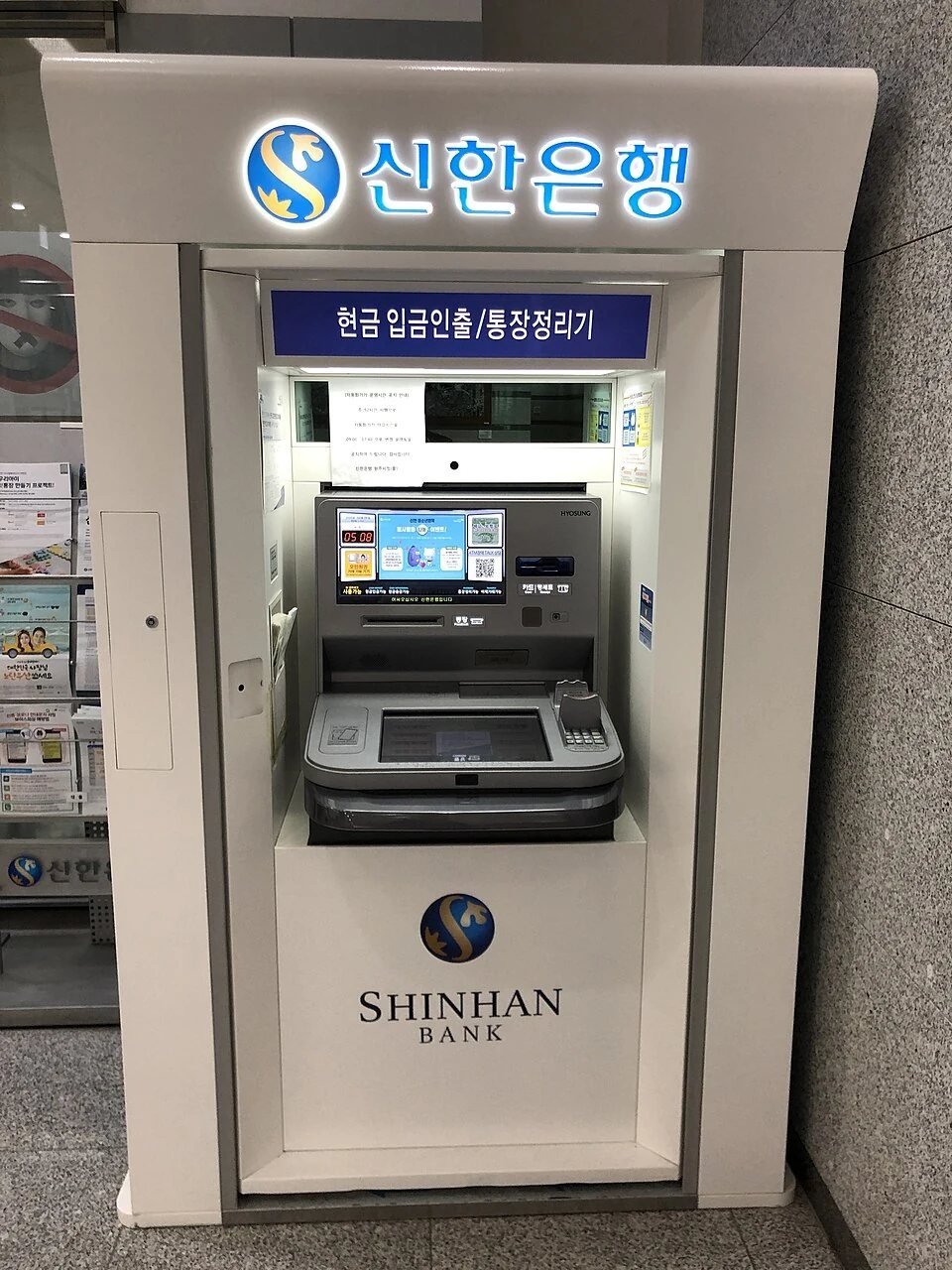
Image credit: Galsan Station ATM photo by Narubaru7, CC BY 4.0; resized for web.
Last verified: September 25, 2026