Apple Pay & Google Pay in Korea 2026: Where They Work and What to Use Instead
If you are visiting South Korea and hoping to pay for everything with your phone, the short answer is: sometimes — but do not travel with only Apple Pay or Google Pay.
Last verified: September 2026. Updated dates reflect this article’s revision history; verification refers to the official sources linked below.
Korea is extremely card-friendly, and contactless payment is becoming more common. But mobile-wallet acceptance still depends on the card you have, the terminal in front of you, and the type of shop you are standing in.
The safest setup is simple: mobile wallet + physical Visa or Mastercard + a small amount of Korean won. That combination provides a practical backup when one payment method is unavailable.
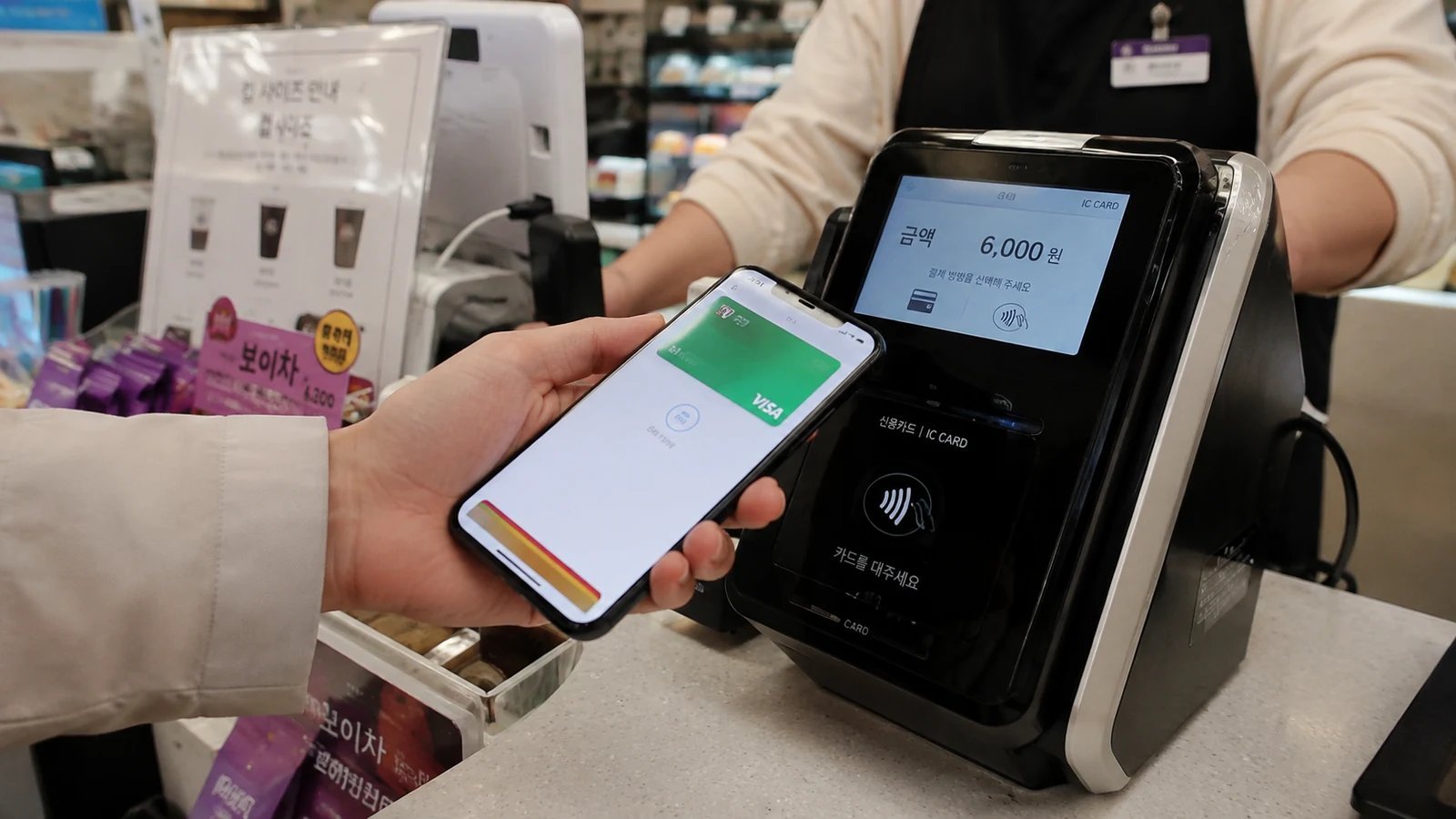
Table of Contents
What to Carry for Payments in Korea
| Payment Method | How Reliable Is It? | Best Use |
|---|---|---|
| Apple Pay | Useful, but not universal | Stores with compatible contactless terminals |
| Google Wallet / Google Pay | Depends on your supported card and the terminal | Compatible NFC/contactless terminals |
| Physical Visa or Mastercard | Very reliable | Restaurants, cafes, hotels, shops, convenience stores |
| T-money | Excellent for transit; selected merchants also accept it | Subways, buses, and participating T-money merchants |
| Cash | Still useful as backup | Traditional markets, night markets, street stalls, some pojangmacha |
Does Apple Pay Work in South Korea in 2026?
Yes. Apple Pay is officially available in South Korea.
For cards issued in Korea, Apple lists Hyundai Card as of September 5, 2026 as the participating Korean card issuer. Apple also supports Apple Pay in many other countries, so travelers who already have an eligible foreign-issued card in Apple Wallet may be able to use it at Korean merchants with compatible contactless payment terminals.
Apple Pay still does not work at every Korean store. A shop may accept physical credit cards while using a reader that does not support the contactless transaction your iPhone needs. The merchant must also accept your card and payment network.
For Apple Pay, look for an Apple Pay logo or the contactless-payment symbol on the card reader, kiosk, or checkout screen. An Apple Pay logo is the clearest sign, but it is not the only sign that matters: Apple states that compatible contactless terminals can accept Apple Pay as long as the merchant also accepts your card and payment network.
So if there is no Apple Pay sign and you are not sure whether the terminal supports it, do not guess. Just ask the cashier:
“Apple Pay dwaeyo?” — “Does Apple Pay work?”
If the answer is no, use your physical card. Large modern retailers, chain stores, convenience stores, newer cafes, and businesses with updated terminals are generally the places where Apple Pay is most likely to work. Smaller independent stores and older terminals can be much less predictable.
What About Google Pay and Google Wallet in Korea?
Google Wallet is a little more complicated for travelers.
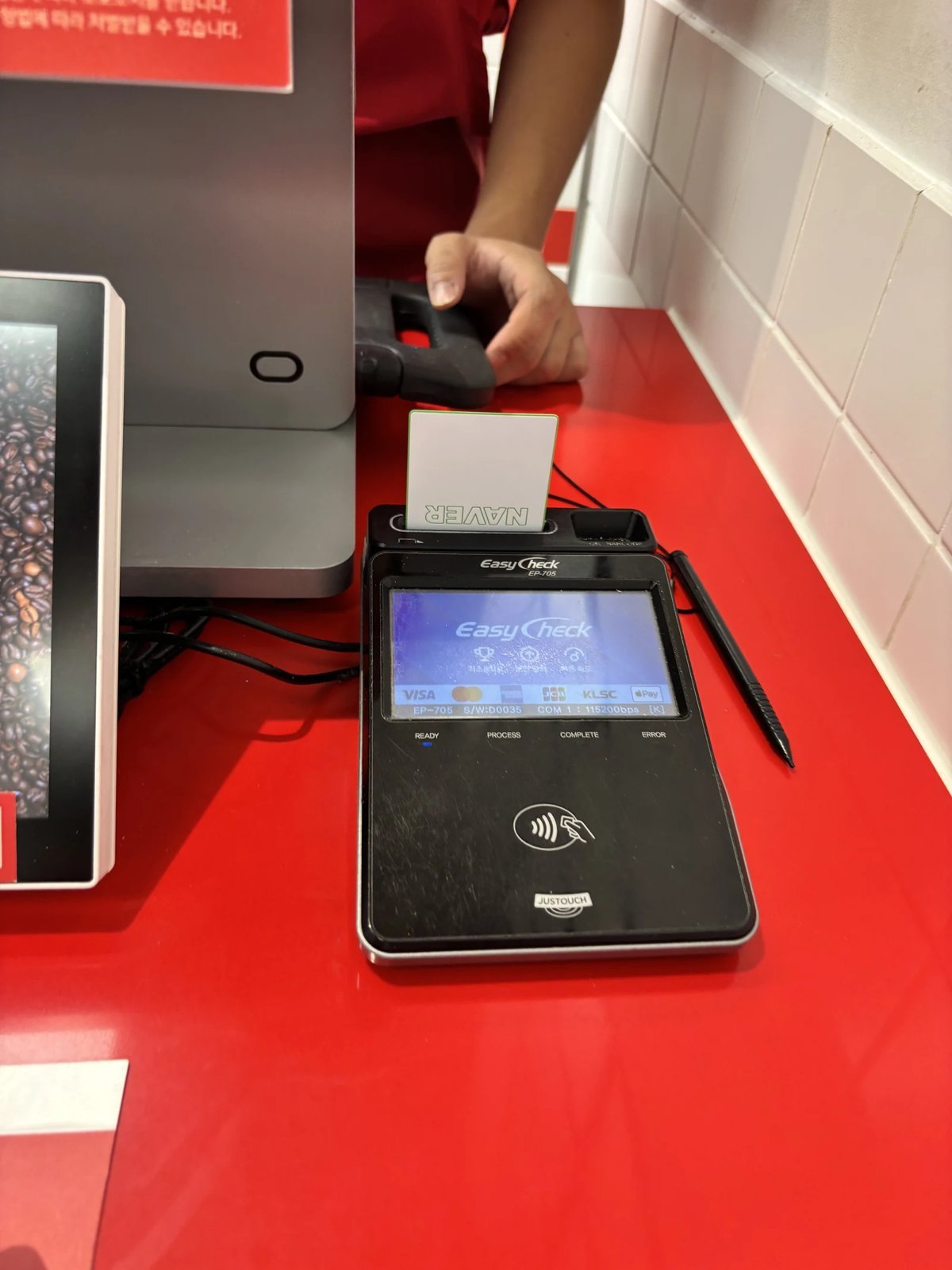
Google states that tap-to-pay requires a payment method from a supported country and a phone that meets its NFC and security requirements. If you already use Google Wallet with an eligible card from your home country, it may work at a compatible Korean contactless terminal.
Do not plan a Korea trip around the assumption that Google Wallet will work everywhere.
The practical rule is the same as Apple Pay: if the terminal supports the contactless payment method tied to your card, great. If it does not, pull out your physical card.
Also remember that Google Pay online or in an app is not the same thing as tapping your phone at a physical store. A website showing a Google Pay button does not tell you anything about the card terminal at the cafe downstairs.
T-money Now Works in Apple Wallet Too
This is one of the biggest payment changes for iPhone users traveling in Korea.
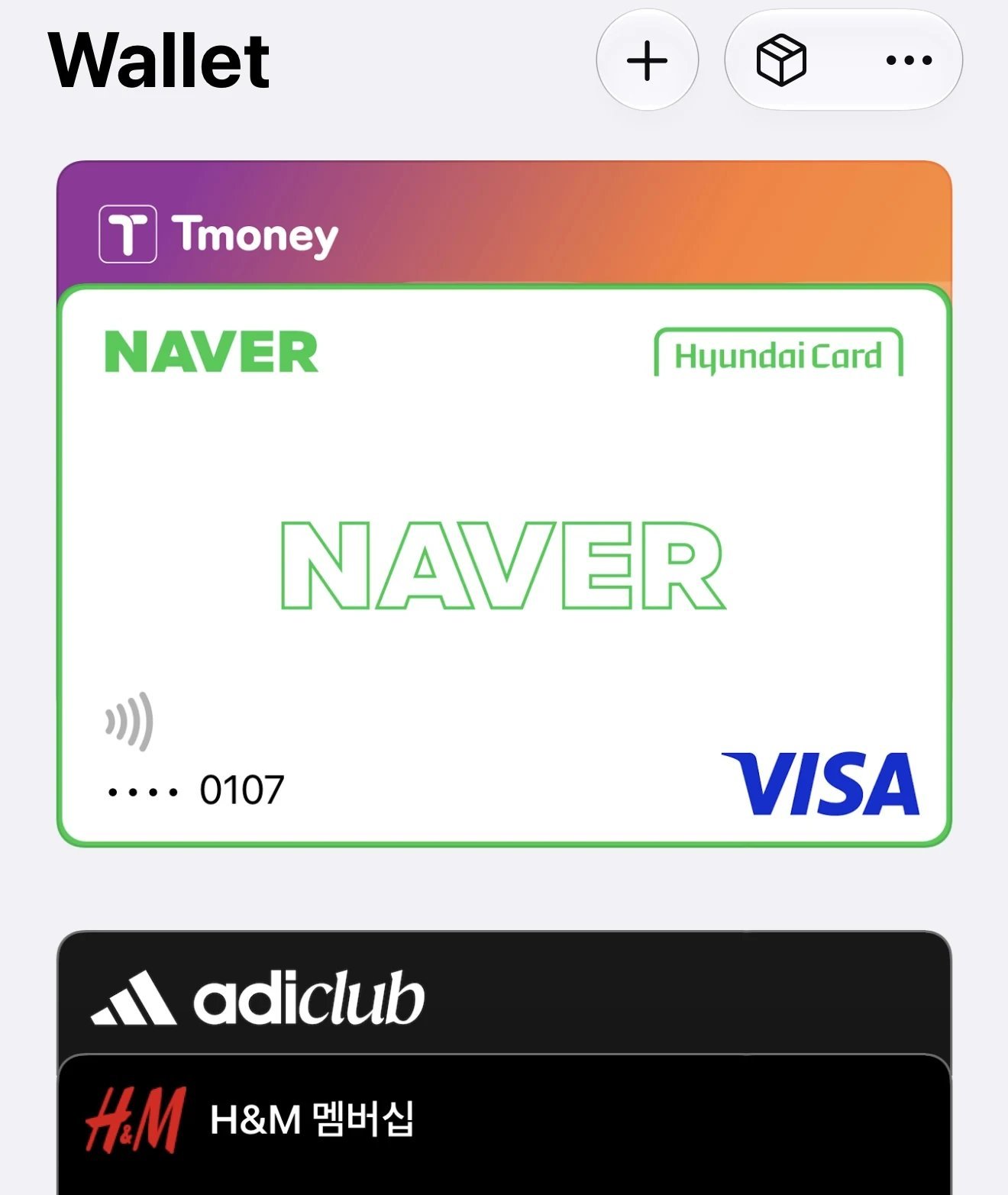
Apple and T-money introduced T-money in Apple Wallet in 2025, allowing compatible iPhones and Apple Watches to tap on Korean public transportation using Express Mode.
That means you can add a prepaid T-money card to Apple Wallet and use your iPhone or Apple Watch on supported buses and subways without pulling out a physical transit card.
Apple also says T-money stored in Apple Wallet can be used at participating merchants that accept T-money, although some stores may not support it.
The top-up route matters for foreign visitors. Apple states that buying or topping up T-money directly in Apple Wallet requires a South Korea-issued credit or debit card.
The separate MobileTmoney app now offers an international-user option without sign-up. As of September 5, 2026, its official listing supports top-ups through Apple Pay using Mastercard, American Express, UnionPay, and JCB; Visa is not listed. This is a different route from the top-up control inside Wallet.
Check the app’s current card requirements and the amount shown before confirming a top-up. If your card is unsupported or the payment fails, a physical T-money card remains a useful alternative. This guide does not claim that every foreign-issued card will work.
Choosing between a physical T-money card, Climate Card, and WOWPASS? See Korea transit card comparison for the full comparison.
Can You Pay With T-money Outside Public Transportation?
Sometimes.
T-money is best known as a transit card, but participating convenience stores and other T-money merchants can also accept it for purchases. Apple confirms that T-money in Apple Wallet can be used at eligible merchants when Express Mode is active, although merchant support varies.
Treat T-money primarily as a transportation tool with some extra payment usefulness, rather than a replacement for your regular bank card.
Do You Still Need Cash in Korea?
Yes — just not a huge amount.
Most everyday travel spending in Korea can be handled by card, but traditional markets, night markets, street-food carts, temporary stalls, and some pojangmacha-style vendors still commonly use cash. Payment setups can vary from one stall to the next, even inside the same market.
You may find one vendor with a card reader, the next asking for cash, and another displaying a Korean bank-transfer QR code that is not especially useful if you do not have a Korean bank account.
So if you are spending an evening eating your way through a market, keeping some smaller won bills in your wallet is a very good idea.
At the same time, Korea also has the opposite situation: some newer cafes, pop-ups, kiosks, and modern businesses operate cashless or strongly prefer card payment.
That is why carrying only cash is not ideal either.
The sweet spot is a physical card plus a little cash.
Want the broader payment breakdown, including foreign cards and when cash is still useful? See cash and card guide for Korea.
Recommended Payment Setup for a First Trip to Korea
For a first trip to Korea, carry:
-
Apple Pay or Google Wallet if your existing card supports it
-
At least one physical Visa or Mastercard
-
A backup physical card stored separately if possible
-
A small amount of Korean won for markets, stalls, and unexpected cash-only situations
-
T-money for public transportation, either as a physical card or in Apple Wallet if that setup works for you.
You do not need to carry large amounts of cash, but having both a physical card and some won can help when one payment method is unavailable.
Where Mobile Payments Are Most Likely to Work
Mobile contactless payments are most useful at places with newer payment hardware, including many:
-
Convenience stores
-
Chain cafes
-
Department stores
-
Shopping malls
-
Large retailers
-
Modern restaurants
-
Beauty and cosmetics chains
-
Hotels
Still, acceptance can vary by location and payment terminal, even within the same brand.
If your phone payment fails, try your physical card.
Where You Should Have a Backup Payment Method Ready
Be more cautious at:
-
Traditional markets
-
Night markets
-
Street-food stalls
-
Pojangmacha and temporary food tents
-
Very small independent shops
-
Older payment terminals
-
Temporary pop-up stalls
-
Rural or less tourist-oriented businesses
This does not mean every traditional-market vendor is cash-only. Card acceptance has expanded significantly, and some major market areas have actively introduced card readers. The point is simply that payment methods are less consistent than they are at a department store or convenience store.
What If My Foreign Card Is Declined?
First, do not assume the card itself is blocked.
Try these in order:
-
Use the physical card instead of your phone.
-
Ask the cashier to insert the chip rather than use contactless payment.
-
Try a second Visa or Mastercard if you have one.
-
Check your banking app for a fraud or overseas-use alert.
-
Use cash if you are at a small market stall or street vendor.
Foreign-card problems are much easier to deal with when you have at least two payment methods available.
Apple Pay vs. Google Pay vs. Physical Card: Which Should You Use?
For most international travelers, a practical priority order is:
1. Physical Visa or Mastercard — most important
This is still the most reliable payment method across Korea.
2. Apple Pay or Google Wallet — convenient bonus
Convenient at compatible terminals, but keep a physical card available.
3. T-money — essential for transit
Especially useful for buses and subways, with additional merchant acceptance in some places.
4. Cash — small but important backup
Keep some small-denomination won notes for vendors that do not accept your card.
FAQ
Can tourists use Apple Pay in Korea?
Yes. Travelers with an eligible card already supported by Apple Pay can use it at compatible contactless merchants in Korea. Acceptance is not universal, so carry the physical card too.
Is Apple Pay accepted everywhere in Seoul?
No. Card payments are widespread, but not every card terminal supports Apple Pay or contactless mobile-wallet transactions.
Does Google Pay work in Korea?
It can work for travelers whose Google Wallet payment method is supported and who encounter a compatible contactless terminal. Because support depends on both the card and the terminal, a physical card is the safer backup.
Can I put T-money in Apple Wallet?
Yes, on compatible iPhone and Apple Watch models. Apple’s direct Wallet purchase and top-up route requires a South Korea-issued card. International visitors can also check the separate MobileTmoney app route described above, which supports selected card networks.
Can I use Apple Wallet T-money at convenience stores?
At participating T-money merchants, yes. Apple notes that some merchants may not support transit-card payments, so acceptance is not guaranteed everywhere.
Do I need cash for Korean traditional markets?
It is smart to carry some. Many permanent stores accept cards, but smaller food stalls, temporary vendors, night-market stands, and pojangmacha can still commonly use or prefer cash.
Are there cashless stores in Korea?
Yes. Some newer cafes, kiosks, pop-ups, and modern businesses may operate cashless or favor card-only payment. Carrying both a card and a little cash avoids problems at either extreme.
Bottom Line
Do not choose between mobile payment, cards, and cash — carry a mix.
Apple Pay is useful in Korea, Google Wallet can be useful for travelers with supported cards, and T-money in Apple Wallet makes iPhone transit much easier than it used to be.
But the most reliable first-time-traveler setup is still straightforward: your phone, a physical Visa or Mastercard, T-money, and a little Korean won.