CatchTable Korea Guide for Foreigners: Reservations & Deposits
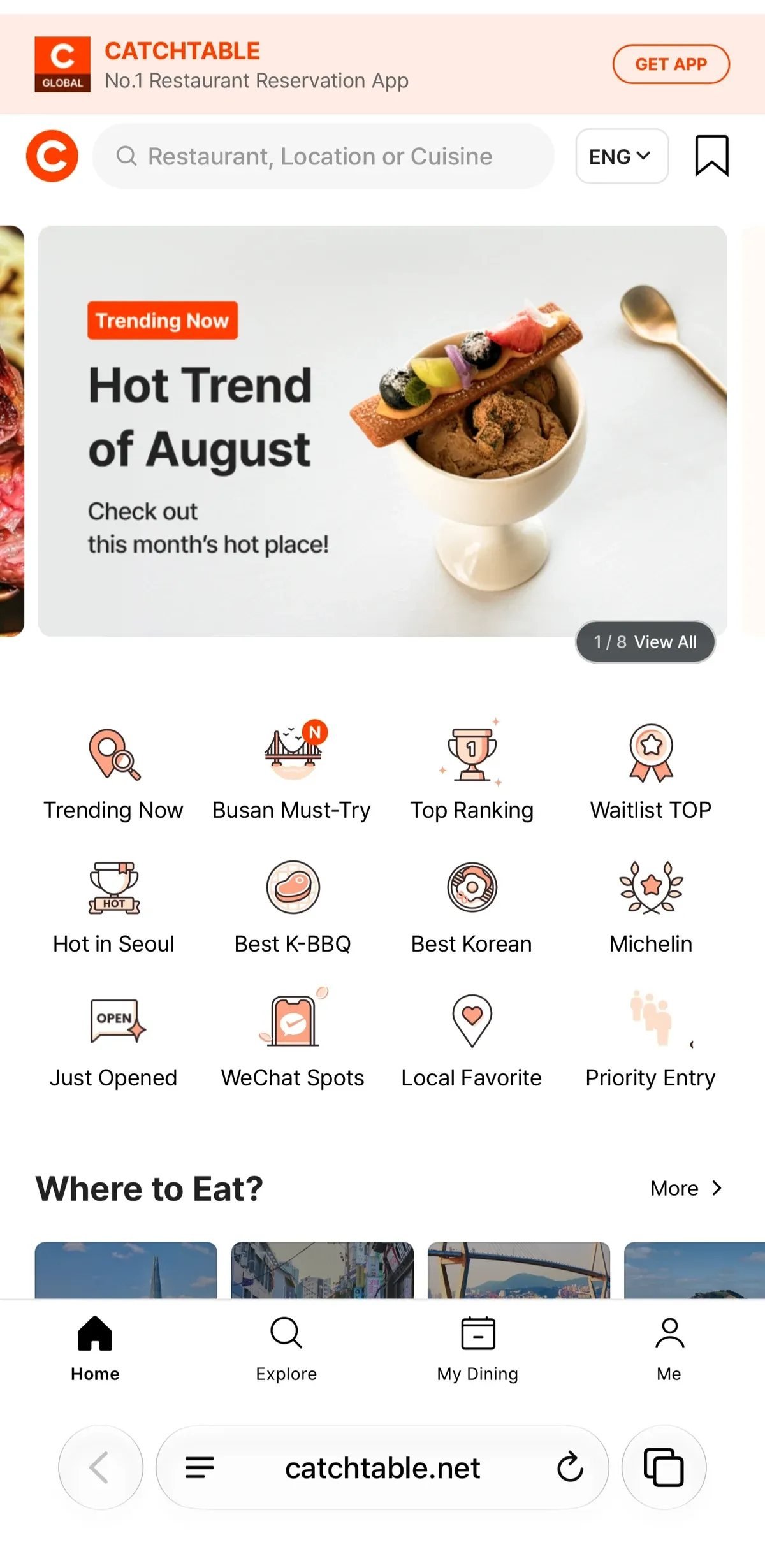
CatchTable Global lets travelers book participating restaurants in Korea without a Korean phone number and pay eligible reservation deposits with an overseas-issued card. Before paying, check the exact branch, date, cancellation deadline, and refund terms shown for that booking; those conditions are set by the restaurant. After checkout, confirm that the reservation appears in My Dining and in your email or in-app notifications before assuming the table is secured.
TABLING kiosk, remote-queue, arrival-confirmation, and phone-number steps are handled in a separate guide.
Table of Contents
1. What CatchTable Global Can Do
The official CatchTable Global app listing currently describes restaurant search in 20 languages, real-time reservations, remote waitlists, email and in-app notifications, and credit-card payment without a Korean phone number. A restaurant appearing in search does not mean every branch offers every function, so open the exact branch page before planning around it.
Use the filters for date, time, party size, area, and cuisine to narrow the results. Then check whether the branch offers a timed reservation, a live waitlist, or both. Restaurant descriptions and detailed conditions may be less completely translated than the main interface.

2. How to Book a Restaurant
- Open the exact restaurant branch. Match the address and branch name, especially when a restaurant has several Seoul locations.
- Select the date, time, and real party size. Some restaurants release reservations on a schedule or limit bookings by table size.
- Read the booking conditions. Check the deposit, cancellation deadline, late-arrival rule, age limit, minimum order, and any course or seating requirement shown.
- Complete the payment step if required. Use a card that supports international online transactions and any issuer authentication screen.
- Check the saved reservation. Confirm the branch, date, time, party size, and status in My Dining and in the confirmation message.
A card charge or payment screen alone is not enough proof that the reservation was created. Keep the final confirmation until after the visit.
3. Deposits, Foreign Cards & Cancellation Terms
Some CatchTable reservations require a deposit or reservation fee, while others do not. CatchTable’s current official information says travelers can pay eligible reservation deposits with cards issued outside Korea. Approval can still depend on the card issuer, authentication method, and live checkout.
There is no single cancellation deadline or refund rule that applies to every restaurant. One venue may refund the deposit after the visit, while another may reduce or withhold it for a late cancellation, no-show, or late arrival. Read the terms attached to your specific booking before paying, and save a copy if the amount is significant.
If you need to cancel or change the reservation, use the option shown in My Dining as early as possible. Confirm the displayed refund amount before the final cancellation step. If the app does not offer the change you need, contact the restaurant or CatchTable support before the stated deadline rather than assuming the booking will update automatically.
Last verified: September 30, 2026.
4. How to Confirm Your Reservation
After booking, check My Dining and the email or in-app notification connected to your CatchTable account. The saved record should show the correct restaurant branch, visit date, time, party size, and current status.
If the confirmation is missing, search your email spam folder and reopen My Dining before paying again. A pending card authorization does not necessarily mean the restaurant received a completed reservation. Avoid creating a second booking until you know what happened to the first attempt.
Before the visit, reopen the reservation and check for restaurant-specific arrival instructions. Some venues may cancel or penalize a booking after a stated late-arrival limit, and those live terms take priority over general advice.
5. When Booking or Payment Fails
If card authentication or deposit payment fails, first check My Dining and your confirmation messages. If no reservation exists, ask the issuer to allow the international online transaction and try one other card. Do not submit the same payment repeatedly while the first attempt is still unclear.
If a charge appears without a confirmed reservation, save the error screen, transaction reference, restaurant name, and attempted booking time. Contact CatchTable Global support at support@catchtable.net before trying to book again.
If the time you want is sold out, check another date, a different branch, or whether that restaurant offers a waitlist. You can also ask the restaurant about walk-in availability. These alternatives are controlled by the venue and do not guarantee a table.
6. CatchTable Waitlists vs. Timed Reservations
A timed reservation holds a stated date and time under the conditions shown in the booking. A waitlist places you in a moving queue and does not guarantee an exact seating time. Check which option you selected before leaving for the restaurant.
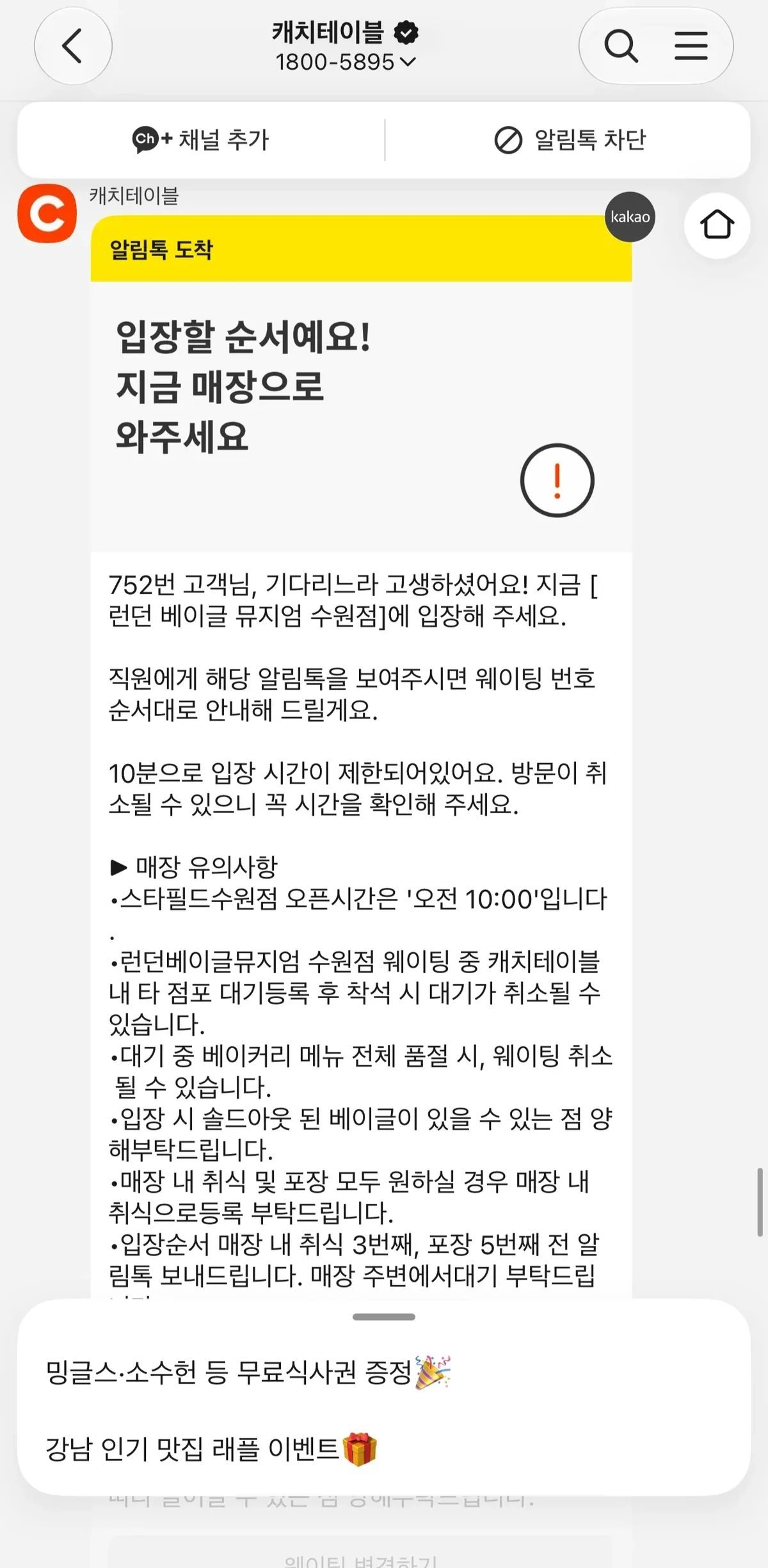
When a CatchTable waitlist is available, save the registration confirmation, monitor the number of parties ahead, and follow the branch’s live return instructions. Notifications may arrive by email, in the app, or through another contact method configured for that queue.
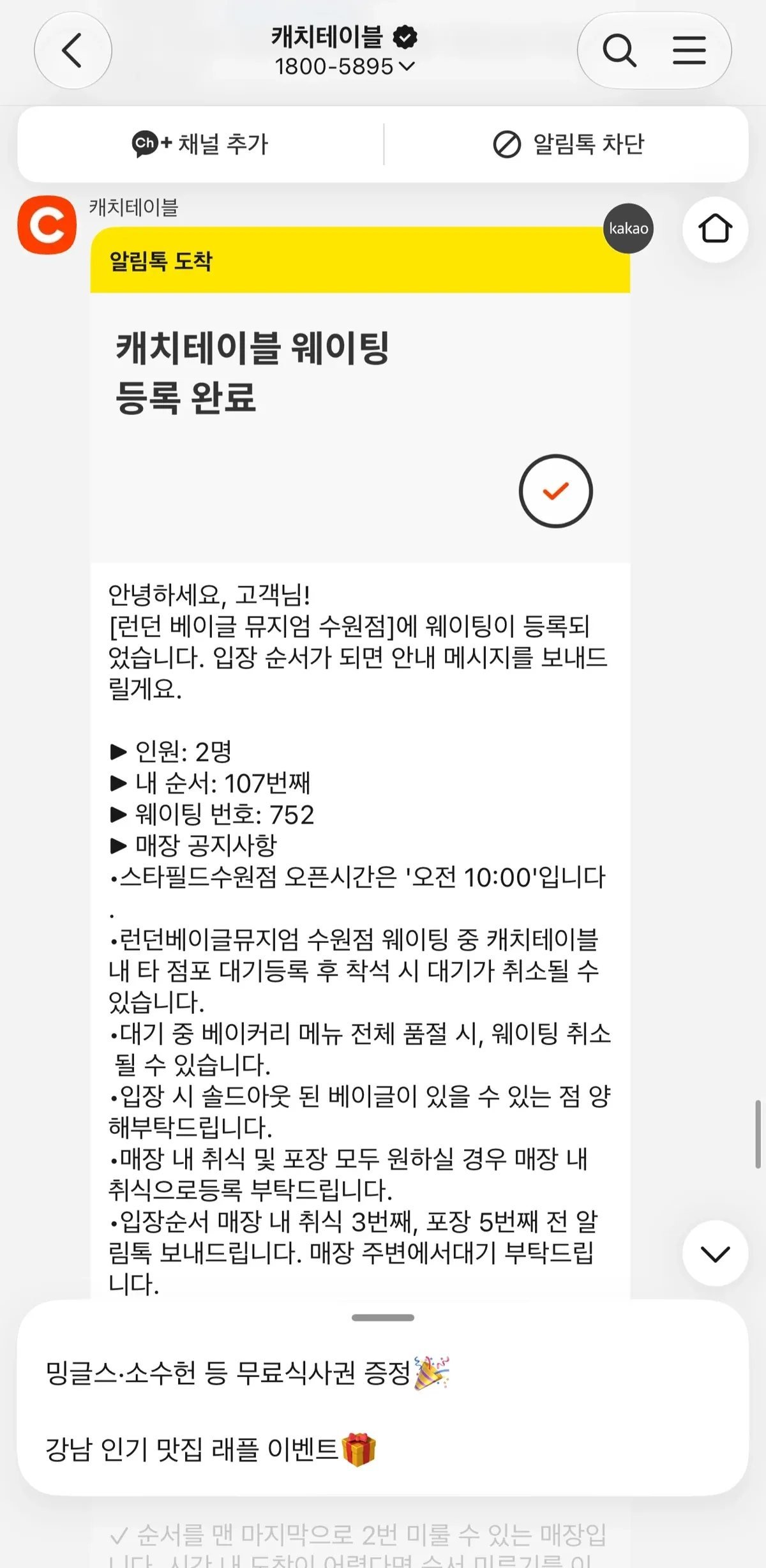
Return as soon as the service says your table is ready. The restaurant’s own message controls the deadline; do not assume every venue allows the same grace period.
CatchTable and TABLING are separate platforms. For TABLING-specific kiosk registration, remote queuing, arrival confirmation, and postponement, follow our step-by-step TABLING guide for travelers.
Frequently Asked Questions
Do I need a Korean phone number to use CatchTable Global?
The current official Global app listing says a Korean phone number is not required. Use an email address and payment card you can access, and follow any additional condition shown by the restaurant.
Can I pay a CatchTable deposit with a foreign card?
CatchTable’s official information says cards issued outside Korea can be used for eligible reservation deposits. Individual issuer approval and authentication can still fail, so keep one alternative card if the restaurant is important to your plans.
Will my deposit always be refunded?
No universal rule covers every booking. The restaurant’s displayed terms determine what happens after a visit, timely cancellation, late cancellation, late arrival, or no-show.
What should I do if payment completed but no reservation appears?
Check My Dining and your email before making another payment. Save the transaction reference and error screen, then contact CatchTable Global support if the reservation remains missing.
Official sources:
- CatchTable Global
- Official CatchTable Global App Store listing
- Official CatchTable Global Google Play listing
- CatchTable guidance for international customers