Naver Map English: Setup & Navigate Korea (2026)
Yes — you can change Naver Map to English and use its basic map, search, walking, and public-transit route features without a Korean phone number. A Naver login is required if you want to save and sync places, routes, buses, or subway services. Last verified: September 24, 2026.
Use Naver Map when you need Korea-specific route detail that international map apps can miss. For a wider toolkit, review our Korea travel app guide.
Table of Contents
Why Naver Map Helps in South Korea
International map services remain useful for place information and broad planning, while Naver Map provides Korea-focused place search, walking routes, public-transit routes, real-time bus information where available, and subway tools. Use the app that gives the clearest result for the specific trip rather than relying on only one map service.
| Feature | Naver Map | Google Maps |
|---|---|---|
| Walking Directions | Detailed local walking routes | Available, but local detail may vary |
| Public Transit Data | Live arrivals and vehicle-location information where supported | Useful for broad planning; local detail may vary |
| Subway Transfer Info | Route options, timetables, and real-time train positions where supported | General route overview |
| Place Details | Menus, opening hours, booking links | Place information and reviews |
| Language Support | English, Chinese, Japanese, Korean | Multilingual |
Switch Naver Map to English
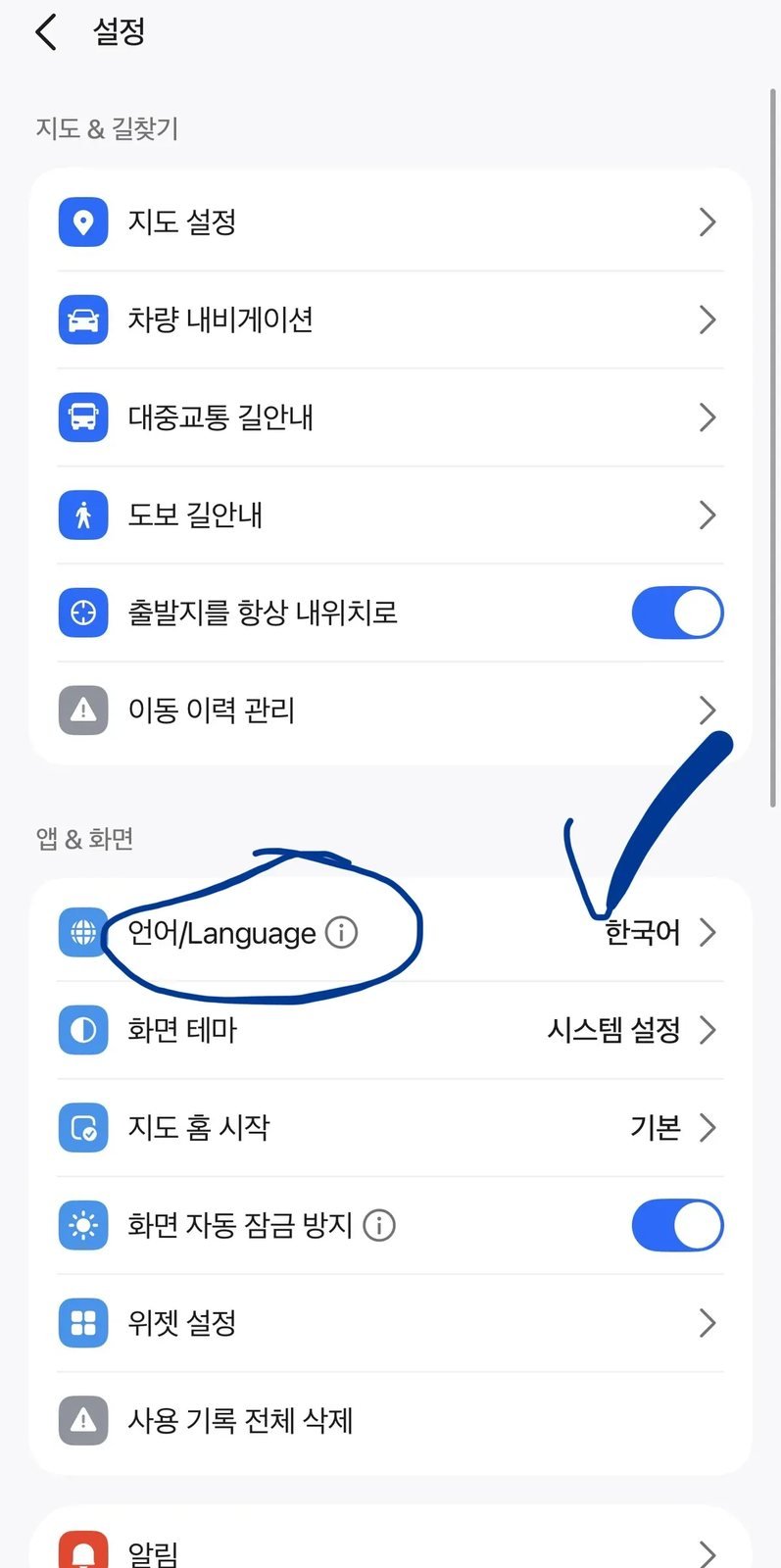
You do not need a Korean phone number to change the language or use basic map and route searches. Install the official NAVER Map app. On Android, use MY (profile icon) → Settings (gear) → Language. On iPhone, that path opens the device settings; choose English under Preferred Language. If English is missing, add it under Settings → General → Language & Region.
Some place names, reviews, user content, and Place Agent answers can still appear in Korean. If the menu path changes after an app update, use Naver’s current language-setting guide rather than searching every menu. Last verified: September 24, 2026.
Can You Use Naver Map Without an Account?
Yes. You can use the core map and route tools without signing in. A Naver account becomes useful when you want to keep saved places, routes, buses, or subway services and use them again on another device.
| Feature | Without Signing In | With a Naver Account |
|---|---|---|
| Change the app language | Available | Available |
| Search places and Korean addresses | Available | Available |
| Check walking and public-transit routes | Available | Available |
| View live arrivals where supported | Available with an internet connection | Available with an internet connection |
| Save places, routes, buses, and subway services | Not available as a synced saved list | Available after signing in |
| Sync saved items across devices | Not available | Available through the signed-in account |
Account creation and verification options can change, so check the current sign-up screen if you decide to save or sync items. Basic search and route planning do not require a Korean phone number.
Last verified: October 2, 2026. See Naver’s saved-items and login guide.
How to Search and Navigate Transit Routes
Once set to English, searching for public transportation routes between airports, hotels, and tourist attractions is straightforward.
Comparing Transit Options (Subway vs. Bus)
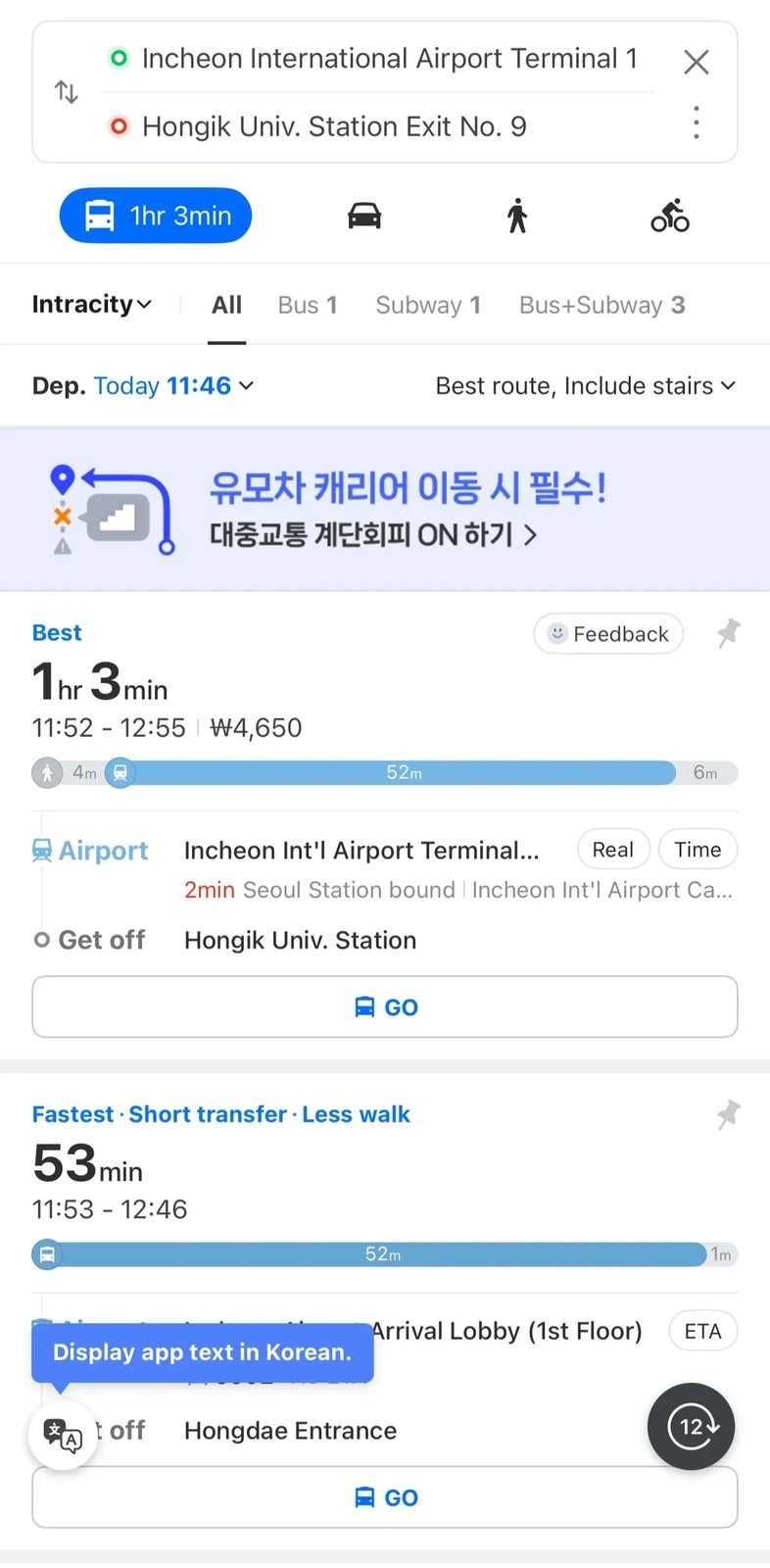
When searching for a journey, Naver’s current help pages say the results can show:
- Total travel time, estimated fare, transfer count, and segment-by-segment walking, bus, or subway time.
- Real-time bus arrivals and vehicle locations in supported regions.
- Tabs for combined routes, bus-only routes, and subway-only routes.
Last verified: September 24, 2026. Fare and arrival information can be missing or differ from actual conditions, so treat it as planning information rather than a guarantee.
For station transfers, fares, and local riding tips, use our Seoul subway guide.
Live Route Guidance & Subway Preview
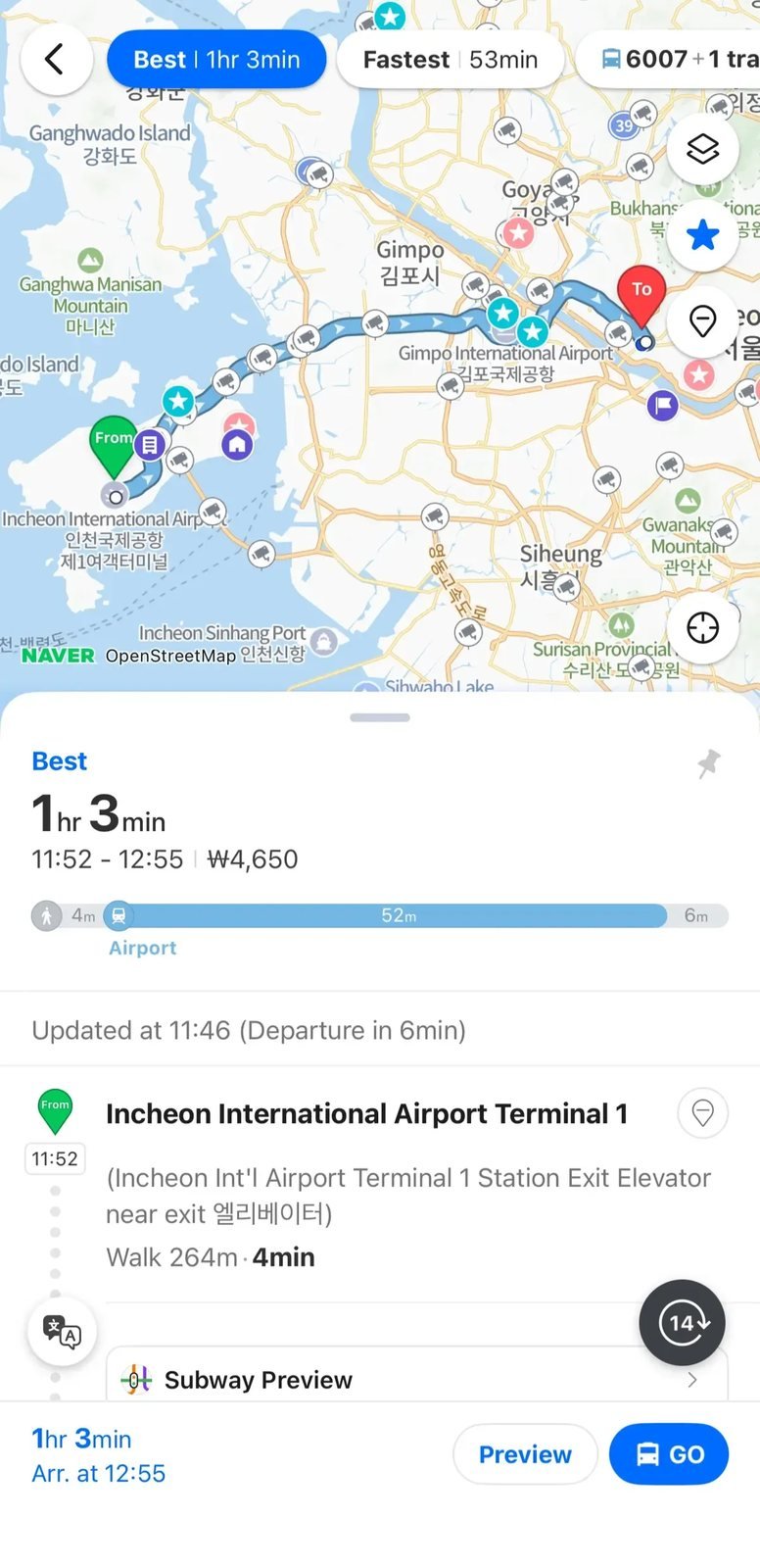
Tapping a route expands its walking and transit segments. Naver’s subway tools currently provide route options such as shortest time, fewest transfers, and lowest fare, plus timetables and real-time train positions where supported. Elevator and accessible-route details are not available for every station, so check station signs or the operator’s accessibility information when step-free access matters. Last verified: September 24, 2026.
Fix place, address, and route searches that fail
- Copy the Korean place name. If the English name returns nothing or the wrong branch, copy the Korean name from the business’s official page, booking confirmation, or Korean address and paste it into Naver Map.
- Search the road-name address. A full Korean road address is often more reliable than an English business name. Compare the district and map pin before starting the route.
- Try the local phone number. Paste the store’s Korean landline number when a name or address still does not resolve. This can surface the correct business profile.
- Check the final subway exit. Open the last walking segment and note the exit number before boarding. A different exit can add a road crossing, stairs, or a long walk around a large station.
- Confirm the bus stop and direction. Match the stop name and route direction, then use the real-time arrival or vehicle position only as a live estimate. Check the stop display when you arrive.
- Inspect hills and stairs. Naver Map may not describe every steep lane, staircase, or station barrier. Open the walking segment, allow extra time, and check the station operator’s accessibility information when step-free access matters.
- Save places before the trip. A Naver login is required to save and sync places, routes, buses, and subway services. Save the exact branch rather than only the brand name.
Frequently Asked Questions (FAQ)
Can I use Naver Map without an internet connection?
Live routing and transit updates require an internet connection. Previously loaded map areas may remain visible, but do not rely on them as a complete offline map. Compare connectivity options in our Korea eSIM vs. physical SIM guide.
Is Naver Map free to use?
Yes. The core map, walking, and public-transit features are free to use.
Does Naver Map support booking taxis?
Naver Map can show estimated taxi fares and driving times, but Naver notes that calculated fares may differ from the actual amount. For booking, international visitors can use k.ride, which currently supports overseas-issued cards and multiple interface languages; availability and verification requirements can still vary. Last verified: September 24, 2026.
Related Travel Guides
- Korea travel app guide
- Seoul subway guide
- Korea transit card comparison
- Korea eSIM vs. Physical SIM Card Guide
Official references:
- Naver Map web portal
- Naver Map language-setting guide
- Naver Map home and feature guide
- Naver public-transit route results guide
- Naver real-time bus information guide
- Naver subway map and real-time information guide
- Naver saved-items and login guide
- Naver taxi-fare calculation guide
- Kakao Mobility k.ride guide